How to Use Your Phone Hands-Free More Effectively?
Technology has changed how we use our phones—shifting from constant tapping toward natural, hands-free control that fits into daily life. Whether you’re cooking, driving, or multitasking, using your phone without holding it can reduce stress and improve safety. Hands-free use isn’t just about convenience; it’s about staying focused while your device supports you in the background. Yet many users aren’t sure which features to trust or how to set them up. This article shares practical, real-life ways to use your phone hands-free—effectively and without added complexity.
Master Voice Assistants for Daily Tasks
Set Up and Use Google Assistant
Setting up Google Assistant is often the first step toward hands-free phone use, and it is designed to be accessible even for users who are not tech-savvy. After enabling it in the system settings, you can train the voice model so the assistant recognizes your speech patterns more accurately in noisy or quiet environments. This small setup effort pays off when you can unlock features like voice dialing or reminders without touching the screen. Over time, the assistant adapts to your habits, making responses faster and more relevant to daily routines. With consistent use, it becomes less like a feature and more like a helpful background tool.
Useful Voice Commands for Calls, Texts, and Music
Voice commands work best when they mirror natural language, which is why simple phrases like asking to call a contact or send a message feel intuitive. For calls, you can say the contact’s name clearly, reducing the temptation to glance at the screen while multitasking. Messaging through voice dictation is especially useful when your hands are busy, such as while cleaning or carrying groceries. Music control through voice commands also prevents unnecessary interruptions, allowing you to skip tracks or adjust volume without breaking focus. These everyday actions may seem small, but together they significantly reduce physical interaction with your phone.
Choose the Right Bluetooth Accessories
Selecting the Best Earbuds or Headset
Choosing Bluetooth earbuds or a headset is about comfort and reliability rather than flashy features. A well-fitted device stays secure during movement, which is important for long calls or extended listening sessions. Battery life should match your daily schedule, ensuring the accessory lasts through work hours or commutes. Clear microphone quality also matters, as it directly affects how well your voice assistant understands commands. When these basics are met, hands-free communication feels natural rather than forced.
Using a Car Bluetooth System or Speakerphone
A car Bluetooth system transforms driving into a safer experience by keeping your hands on the wheel and eyes on the road. Pairing the phone once usually allows automatic reconnection, removing distractions each time you start the car. Voice prompts for navigation and calls reduce the need to interact with the screen while driving. Speakerphone features are useful for short conversations, especially when parked or stopped. Over time, this setup encourages safer habits that feel effortless rather than restrictive.
Set Up Your Phone for Driving Safety
Enable “Do Not Disturb While Driving” Mode
“Do Not Disturb While Driving” mode is designed to limit interruptions without cutting you off completely. When enabled, it silences non-essential notifications while allowing important calls to come through. This balance helps drivers stay informed without being overwhelmed by alerts. The feature can activate automatically based on movement, which removes the need for manual control. As a result, driving becomes calmer and more focused.
Mount Your Phone for GPS and Voice Control
A phone mount may seem simple, but it plays a critical role in hands-free use during navigation. It provides a stable, secure base that prevents your device from shifting or falling while driving. Proper placement ensures the screen is visible without blocking your view of the road. When combined with voice guidance, it minimizes the need for physical interaction. This seamless integration allows you to keep both hands on the wheel at all times. This setup supports safer driving by allowing quick glances rather than prolonged attention shifts. Over time, it reinforces habits that prioritize awareness and control.
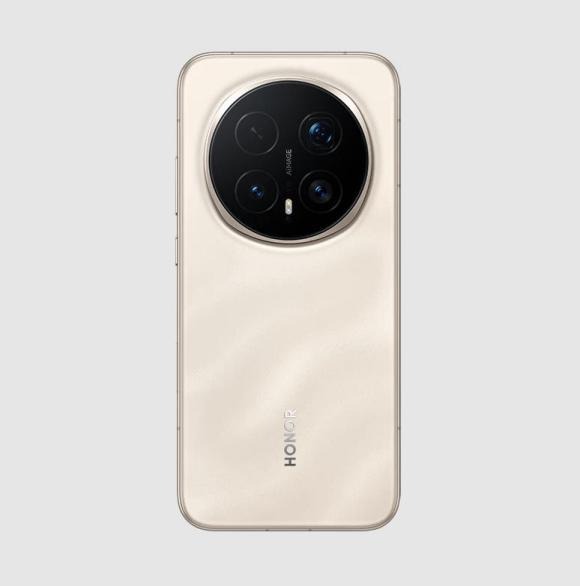
Use Accessibility and Convenience Features
Accessibility features are not only for users with special needs; they are powerful tools for anyone seeking hands-free convenience. Many of these tools use advanced voice recognition and automation to streamline common tasks. Options like voice typing, screen readers, and gesture controls reduce reliance on touch input. These features can be customized to suit individual preferences, making them practical for daily use. For example, voice typing can speed up note-taking during meetings or errands. Gesture controls, meanwhile, can let you silence an alarm or pause media with a simple wave. By exploring these settings, users often discover new ways to simplify routines.
Conclusion
Embracing hands-free phone use allows technology to adapt to your lifestyle, making daily tasks safer, more efficient, and less distracting. Looking ahead, devices that combine intuitive interfaces, reliable voice assistants, and thoughtful design will continue to enhance how we interact with our phones. For those considering an upgrade, exploring options such as the HONOR Magic 8 Pro buy makes sense, as its human-centered design, practical features, and user-friendly layout support seamless hands-free use. By choosing a well-rounded device, users can build lasting habits that improve productivity and help them stay present in everyday life.
About the Author